
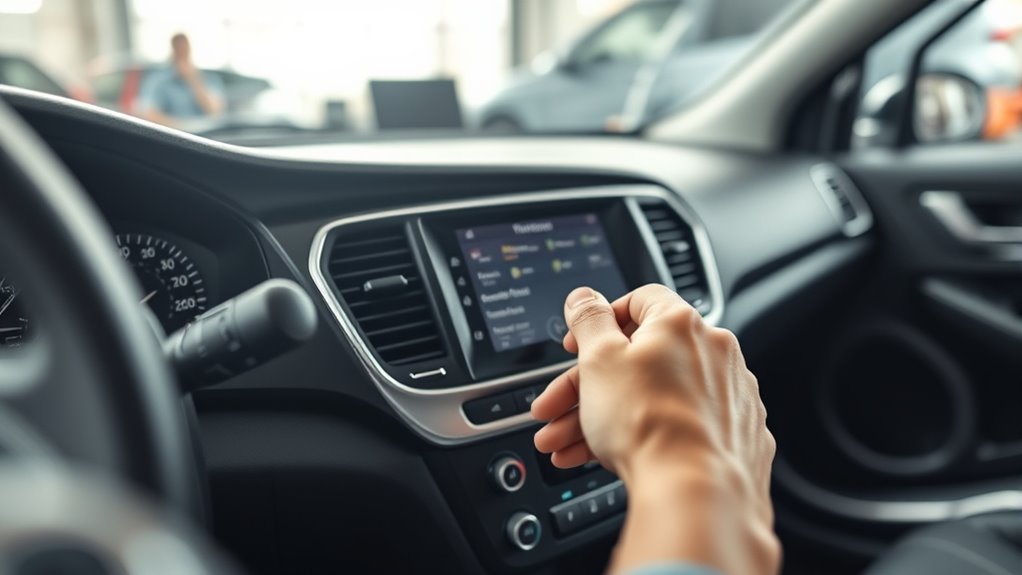
How to Disable Engine Idle Shutdown Step by Step
To disable engine idle shutdown, start by locating a button with an encircled “A” on your dashboard.
Press this button for 1-2 seconds while the engine is running. This will temporarily override the idle shutdown system.
If you can’t find the button, don’t worry! You can also access your vehicle’s infotainment settings.
Navigate to “Auto Idle Shut Off” or something similar, and toggle it off for a longer-lasting disable.
Additionally, certain driving modes can help prevent the shutdown temporarily.
Just remember, it’s crucial to understand the safety and warranty impacts before exploring further options.
Taking these steps can help you manage your engine idle shutdown effectively!
Identifying Your Vehicle’s Auto Idle Shutdown System

Before you can disable engine idle shutdown, you need to identify whether your vehicle has this feature.
Many vehicles come with an automatic engine shutdown system, often linked to Auto Start-Stop technology.
Automatic engine shutdown systems are commonly integrated with Auto Start-Stop technology in many modern vehicles.
To check, look for a button with an encircled “A” near the steering wheel or on your dashboard.
If you don’t see a physical button, consult your owner’s manual or explore the infotainment system’s vehicle settings.
Some models require you to navigate menus to disable or temporarily disable Idle Shutdown.
Keep in mind, the controls to disable the automatic feature vary based on your vehicle’s make, model, and year.
Knowing this helps you avoid the common frustration drivers often face when trying to disable the automatic engine shutdown the time you start your engine.
Using the Auto Idle Shut Off Button

You’ll find the auto idle shut off button on your dashboard, usually marked with an encircled “A.”
To disable the feature temporarily, press and hold the button for 1-2 seconds.
Watch for the indicator light to turn off, confirming the system is bypassed.
Button Location Guide
Locating the auto idle shut off button is key to quickly disabling your engine’s idle shutdown feature.
Look for an encircled “A” symbol on your dashboard or near the climate controls.
Its exact spot varies by make and model but commonly appears around the steering wheel, center console, or gear shifter.
Pressing or holding it for 1-2 seconds toggles the system, often confirmed by an indicator light.
If you don’t find the button, check your vehicle’s infotainment settings or menu for alternative options.
| Location Area | Common Symbol | Notes |
|---|---|---|
| Steering Wheel | Ⓐ | Usually on the right side |
| Center Console | Ⓐ | Near climate controls |
| Gear Shifter | Ⓐ | Below or beside it |
| Infotainment Menu | None | Alternative access method |
Temporary Disable Procedure
When you want to temporarily disable the engine’s idle shutdown, press and hold the auto idle shut off button—marked with an encircled “A”—for 1 to 2 seconds while the vehicle is running and the parking brake is engaged.
Make sure the auto shut off indicator light on your dashboard turns off; this confirms the system is disabled.
Remember to release the button before driving to avoid accidentally reactivating the idle shutdown.
If you decide to re-enable the feature, simply press the button again or turn off and restart the vehicle.
This quick procedure lets you temporarily bypass engine idle shutdown without complicated settings, giving you control over your vehicle’s idling behavior when needed.
Button Hold Duration
Although the exact hold duration may vary slightly by vehicle model,
pressing and holding the auto idle shut off button for about 1 to 2 seconds disables the engine’s idle shutdown temporarily.
You need to maintain pressure on the button during this time to activate the override, which prevents the engine from shutting off automatically.
Once you release the button after holding it for the specified duration, the auto shutoff feature reactivates.
Keep in mind that holding the button longer won’t extend the override time—it only needs a quick press and hold.
Always ensure you release the button before driving to avoid unintended engine shutdowns.
Navigating the Infotainment System Settings
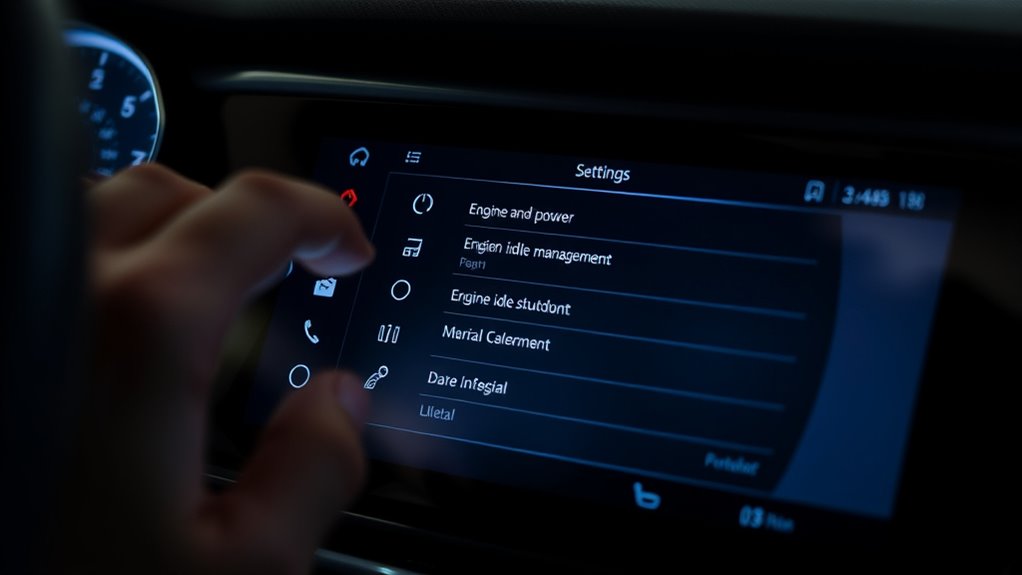
Start by accessing the vehicle’s infotainment system and tapping the “Settings” menu.
Then, navigate to the “Vehicle” or “Engine” section to find the idle shutdown option.
From there, you can modify the auto stop preferences to disable the feature.
Access Vehicle Settings
How do you access the settings to disable engine idle shutdown?
First, turn on your vehicle and open the infotainment system’s main menu.
Tap the “Settings” icon on the touchscreen to access configuration options.
From there, locate the “Vehicle” or “Vehicle Settings” menu.
This is where options related to auto engine start/stop or idle shutdown are typically found.
Below is a quick reference for locating:
| Step Number | Menu Location | Action |
|---|---|---|
| 1 | Main Menu | Turn on vehicle and open menu |
| 2 | Settings | Tap the “Settings” icon |
| 3 | Vehicle Settings | Select “Vehicle” or similar |
| 4 | Engine Features | Look for idle shutdown options |
| 5 | Toggle Option | Prepare to disable feature |
This guides you directly to where you can adjust the idle shutdown settings.
Locate Idle Shutdown Option
Once you’ve accessed the Vehicle Settings menu, the next step is to find the idle shutdown option within the infotainment system.
Start by tapping the Settings icon on your touchscreen, then navigate to the Vehicle or Engine submenu.
Here, look carefully for terms like “Auto Idle Shut Off” or “Engine Auto Stop.”
These labels vary depending on your vehicle’s make and model, so scan through the options until you spot the relevant setting.
When you find it, select or toggle the option to disable the idle shutdown feature.
Make sure to confirm and save your changes before exiting.
This guarantees your vehicle won’t automatically shut off the engine during idling, allowing you to proceed with customizing your auto stop preferences next.
Modify Auto Stop Preferences
Although disabling the idle shutdown feature is essential, you’ll also want to fine-tune your auto stop preferences through the infotainment system.
Start by accessing the vehicle’s infotainment system and tapping the Settings menu. From there, navigate to the Vehicle or Engine section, where you’ll find various engine-related options.
Look for the “Auto Engine Off” or “Auto Idle Shutdown” setting. Once located, toggle it off or uncheck the box to prevent automatic engine shutdown.
Be sure to save your changes before exiting the menu. This ensures the setting stays disabled during your drive, preventing unwanted engine shutdowns.
Adjusting these preferences through the infotainment system gives you better control over your vehicle’s idle behavior and overall driving experience.
Temporary Manual Overrides and Driving Modes
If you want to temporarily prevent your engine from shutting down automatically, you can press and hold the auto start/stop button for 1-2 seconds while driving to disable the feature.
This quick manual override lets you keep the engine running without changing settings permanently.
Additionally, engaging certain driving modes like Sport or Tow/Haul often deactivates the auto idle shutdown system automatically.
So switching to these modes can help when you need continuous engine power.
Another trick is shifting into neutral and applying the parking brake before stopping; this can also prevent the engine from shutting off.
Starting your vehicle, pressing the brake, then activating the disable button offers a fast way to override the system temporarily without affecting other settings.
Considerations for Long-Term Disabling Solutions
When you consider disabling engine idle shutdown permanently, you’ll need dealer programming or specialized tools to change your vehicle’s software settings.
Some aftermarket devices can offer a long-term override, but be aware they might void your warranty or break emissions rules.
Manufacturers sometimes release firmware updates that unlock more control over the shutdown feature, making permanent disablement easier.
Always check with a certified mechanic or dealership before proceeding to ensure your method complies with local laws and doesn’t put your vehicle’s safety or warranty at risk.
Remember to weigh the pros and cons, including effects on engine health, emissions, and insurance policies.
Taking these factors into account helps you make a sound, responsible decision about disabling idle shutdown.
Safety and Warranty Implications When Disabling Idle Shutdown
Before you disable the engine idle shutdown system, consider how it might affect your vehicle’s warranty and safety.
Many manufacturers may void your warranty if you bypass this feature, as it’s often tied to emission controls and engine protection. Extended idling can cause increased engine wear or damage, which the system aims to prevent.
Bypassing this feature can void warranties since it protects emissions and prevents engine wear from extended idling.
Disabling safety features like auto shutdown raises the risk of accidents or mechanical failures. Additionally, some vehicles have built-in restrictions that block modifications to emission-related systems.
To avoid unexpected issues, review your warranty terms carefully and consult a certified mechanic before proceeding.
Taking these precautions helps guarantee you don’t compromise your vehicle’s performance or legal protections when disabling idle shutdown.
Frequently Asked Questions
Can You Disable Automatic Engine Shut Off?
Yes, you can temporarily disable automatic engine shut off by pressing or holding the auto start/stop button or adjusting settings in your vehicle’s menu.
Permanent disabling usually requires dealer help or special devices.
How Do I Stop My Silverado From Turning off Automatically?
Think of your Silverado as a loyal companion—you hold its fate.
Press the encircled “A” button or adjust settings in the driver info center to stop automatic shutoff.
This way, you can keep your engine awake and ready when you are.
What Is the Idle Shutdown Timer Override?
The idle shutdown timer override lets you temporarily stop your engine from auto-shutting off during idle.
You activate it by pressing a specific button or adjusting settings.
This feature allows you to keep your engine running for short stops without needing to restart.
What Causes an Engine to Shut off While Idling?
Think of your engine as a cautious guardian—it shuts off while idling when sensors detect low activity, temperature issues, or faults to protect itself.
You’ll notice it’s trying to prevent damage or unsafe conditions by acting early.
Conclusion
Disabling your engine’s idle shutdown can give you more control, especially if you’re frequently stopping and starting.
Did you know that nearly 60% of modern vehicles come equipped with this feature to save fuel and reduce emissions?
While turning it off might improve convenience, remember it could impact your car’s efficiency and warranty.
Always weigh the benefits against potential risks before making long-term changes to your vehicle’s system.
In conclusion, disabling the idle shutdown feature can enhance your driving experience, particularly in stop-and-go situations.
However, it’s essential to consider the long-term effects on fuel efficiency and any potential warranty implications.
Make an informed choice that balances your convenience with the overall performance of your vehicle.